
Quick answer
What should an outpatient feedback template include?
Built for patients who are seen and go home the same day, an effective outpatient feedback form includes:
- Patient information
- Visit details such as date and department
- Likert scale questions
- Open-ended questions
- Service-specific queries
- Overall experience rating
- Additional comments section

In this article (6 sections)
- Top Outpatient Feedback Template Examples
- Components of an Effective Outpatient Feedback Template
- Implementing the Outpatient Feedback Template in Your Healthcare Facility
- Challenges in Gathering Outpatient Feedback and How to Overcome Them
- Appointment Booking Questions for an OPD Feedback Form
- Frequently Asked Questions
An outpatient feedback template collects views from patients who come for a consultation, test or minor procedure and go home the same day. OPD visits are short and busy, so the form has to be quick and has to tell you which part of the visit went wrong: registration, the wait, the consultation, the lab, the pharmacy or billing. For the general case for collecting patient feedback, see our hospital feedback form template.
Top Outpatient Feedback Template Examples
Both examples ask the same five questions; they differ in how patients answer.
Example 1: Outpatient Feedback Form With Answer Options
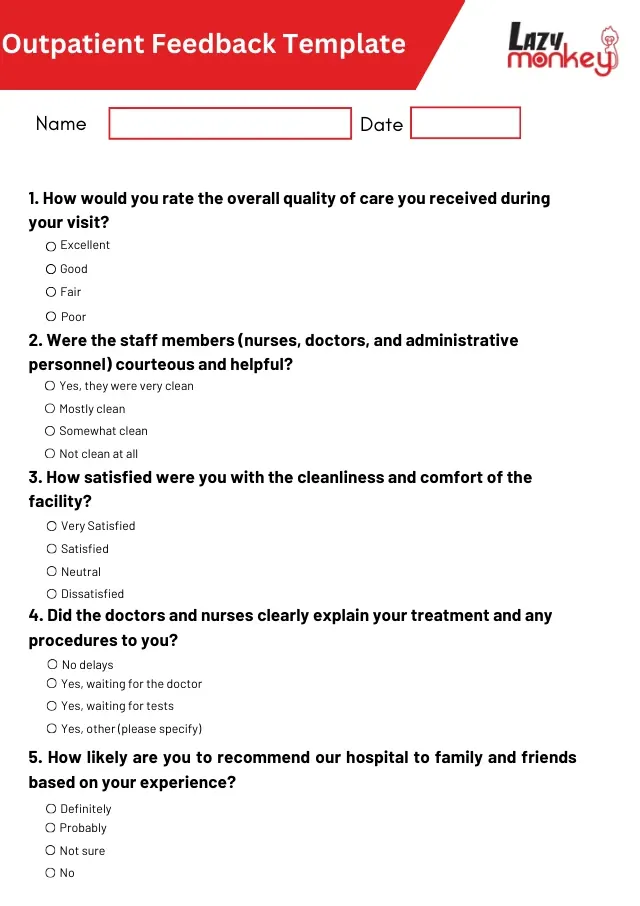
A one-page form for patients to fill in after their OPD visit, on paper or online. It starts with name and date.
- How would you rate the overall quality of care you received during your visit? (Excellent / Good / Fair / Poor)
- Were the staff members (nurses, doctors and administrative personnel) courteous and helpful? (Yes, always / Mostly / Sometimes / No)
- How satisfied were you with the cleanliness and comfort of the facility? (Very satisfied / Satisfied / Neutral / Dissatisfied)
- Did the doctors and nurses clearly explain your treatment and any procedures to you? (Yes, completely / Partly / No)
- How likely are you to recommend our hospital to family and friends based on your experience? (Definitely / Probably / Not sure / No)
To find where the visit slows down, add a sixth question: "Were there any delays during your visit? (No delays / Yes, waiting for the doctor / Yes, waiting for tests / Yes, other)".
Example 2: Outpatient Feedback Form With a Smiley-Face Scale
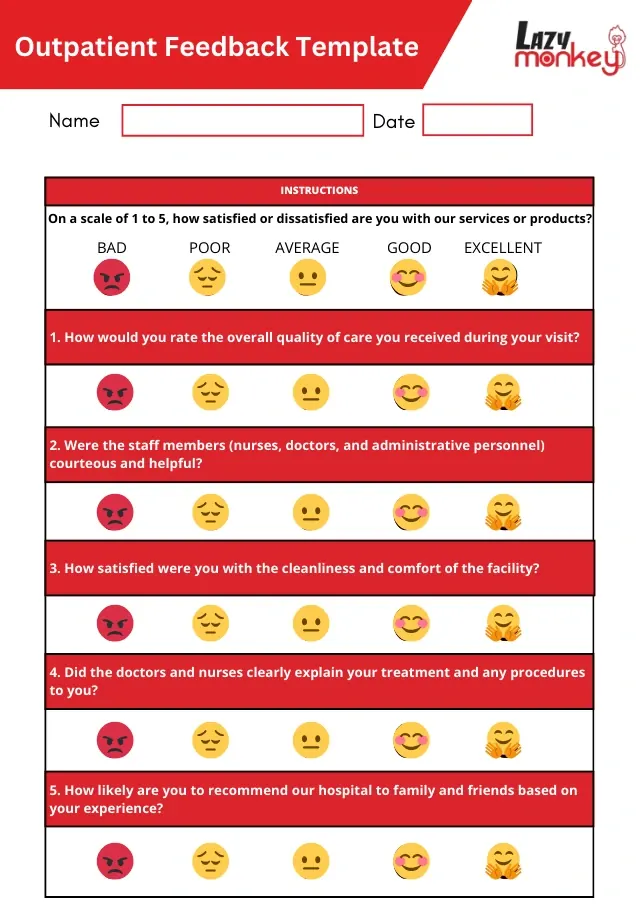
The same five questions, each answered on one five-point face scale under the instruction "On a scale of 1 to 5, how satisfied or dissatisfied are you with our services or products?" It suits a tablet or QR code at the OPD exit, takes under a minute and gives scores that are easy to average by department.
- Name and date
- Answer scale for every question: (Bad / Poor / Average / Good / Excellent)
- Questions: overall quality of care; courtesy and helpfulness of nurses, doctors and administrative staff; cleanliness and comfort of the facility; how clearly doctors and nurses explained treatment and procedures; how likely you are to recommend the hospital
Components of an Effective Outpatient Feedback Template
An OPD form works best when every answer can be traced to a department and a step in the visit:
- Visit details: date, department or speciality, doctor seen, and first or follow-up visit. Without these, a low score cannot be acted on. Keep name and phone optional, and handle any personal details in line with data protection rules.
- Each step of the visit: one rating each for registration, waiting time, consultation, tests (lab, radiology) and pharmacy or billing, using the same 1 to 5 scale so steps can be compared.
- Waiting: ask how long the patient waited after their appointment time, not only whether the wait was acceptable.
- Consultation: "Did the doctor listen to you?", "Did you get enough time?" and "Do you know what to do next (medicines, tests, follow-up)?"
- Service-specific questions: a radiology form might ask about clarity of preparation instructions; a consultation form about explanations.
- Overall rating and one comment box: "What is one thing we should improve?"
Keep it short, avoid medical terms, say at the top that answers are confidential, and pilot the form with a few patients before rolling it out. Review the questions when services change.
Implementing the Outpatient Feedback Template in Your Healthcare Facility
- Where to ask: outpatients leave quickly, so ask at the last stop. Put a QR code or tablet at the pharmacy or billing counter, or send an SMS or email link the same day. Keep paper forms for patients who prefer them.
- Encourage everyone, not only the unhappy: patients with very good or very bad experiences may be more likely to respond, so have the front desk mention the form to every patient, and tell patients how feedback is used.
- Who sees it: each department head gets their own scores and comments weekly; the quality or patient-relations team looks at OPD-wide trends monthly.
- How fast to act: treat comments about rude behaviour, wrong information or safety as complaints and contact the patient within a day or two. See our guide to handling patient complaints in hospitals.
- Act on patterns: if patients keep mentioning long waits, review scheduling and staffing for that clinic rather than reacting to single forms.
- Tell patients what changed: a notice in the waiting area or a line on the patient portal shows that forms are read.
Challenges in Gathering Outpatient Feedback and How to Overcome Them
- Low response rates: make the form quick to finish and ask at the right moment; send one reminder to those who have not responded.
- Biased responses: ask every patient, not a selection chosen by staff, and keep the form anonymous.
- Data overload: with hundreds of OPD visits a day, group comments into a few themes and focus on the ones that recur most and affect the most patients.
Appointment Booking Questions for an OPD Feedback Form
For many outpatients, the experience starts when they book an appointment. If your facility uses an appointment booking system, add a short section on it:
- How easy was it to book your appointment?
- Did you encounter any issues during the booking process?
- Was your appointment confirmation clear and timely?
- Were the instructions and options in the booking system clear?
- How can we improve the booking process?
Booking questions work best when asked shortly after the booking, while the experience is fresh. Embed them in the booking system itself or send them by email once the booking is complete. When reviewing the answers, fix the problems that recur most often and affect the most patients first.
Frequently Asked Questions
What is An Outpatient Feedback Template?
An outpatient feedback template is a structured form used by healthcare providers to collect feedback from patients who receive care without being admitted to a hospital. This template helps gather insights on patient satisfaction, care quality, and areas needing improvement.
Why is Outpatient Feedback Important?
Outpatient feedback is crucial because it provides healthcare providers with direct insights into patient experiences. This feedback helps identify strengths and weaknesses in the care process, enabling targeted improvements that enhance patient satisfaction and care outcomes.
What Should Be Included in An Outpatient Feedback Template?
An effective outpatient feedback template should include patient information, visit details, Likert scale questions, open-ended questions, service-specific queries, an overall experience rating, and an additional comments section.
How Can I Increase Patient Participation in Feedback Surveys?
Keep the form short, ask at the end of the visit or by SMS soon after it, explain how feedback is used to improve care, and follow up once with patients who have not completed it. Showing what changed because of earlier feedback also encourages responses.
When Should Patients Be Asked About The Appointment Booking Experience?
Shortly after they book, while the experience is fresh. A short form embedded in the booking system, or sent by email once the booking is complete, works well.
Filed under Feedback Form Templates · First published