Quick answer
What is a complaint management system?
A complaint management system is software that captures complaints from every channel, assigns each one to the right owner, tracks it against response and resolution deadlines, escalates it when those deadlines pass, and records how it was closed. In a mall, it covers shopper, tenant and staff complaints across every floor, zone and shift.
In this article (11 sections)
- What Is a Complaint Management System?
- Where Mall Complaints Come From
- The Complaint Lifecycle in 8 Steps
- Must-Have Features of Complaint Management Software
- Complaint Handling SOP for the Mall Front Desk
- Complaint KPIs to Track
- Build vs Buy
- Buyer's Evaluation Checklist
- How LazyMonkey Handles Mall Complaints
- Conclusion
- Frequently Asked Questions
This guide is for mall operations heads, facility managers, customer service leads and centre heads who are replacing a help desk register, a WhatsApp group and a pile of emails with a proper complaint management system. It is also for anyone writing the complaint handling SOP that the system will run.
You will get the complaint lifecycle in eight steps, the features that matter in a mall and how to test them, a front desk SOP, the KPIs worth tracking, the build versus buy trade-offs and a buyer's checklist for vendor meetings.
What Is a Complaint Management System?
What separates it from a register or a WhatsApp group is that software keeps the clock running on every complaint and keeps the record after it closes, so a mall can see which washroom, zone or shift generates repeat problems.
The international reference for complaint handling is ISO 10002:2018, adopted in India by the Bureau of Indian Standards as IS/ISO 10002:2018 (Guidelines for Complaints Handling in Organizations). It is a set of guidelines rather than a legal requirement for malls, but it is a useful benchmark for your process.
Where Mall Complaints Come From
Malls deal with three streams of complaints. Shoppers expect a fix in minutes and rarely complain twice. Tenants pay CAM charges and expect a fix plus an explanation. Staff and contractors report faults they find on rounds.
- Washrooms: dirty, no soap or tissue, wet floor, odour, broken fittings. Raised by shoppers; capture with a QR code at the washroom.
- Parking: ticketing, boom barrier, lighting, dented car, long exit queues. Shoppers; QR codes at pay stations and lift lobbies, and the help desk.
- Air conditioning: store or common area too warm, water dripping. Tenants and shoppers; tenant help desk ticket, QR codes in common areas.
- Lifts and escalators: out of service, jerky, door issues, entrapment. Shoppers and staff; QR codes in lift lobbies, control room.
- Security: rude behaviour, theft, frisking queues, lost child. Shoppers and tenants; help desk, security control room.
- Food court: tables not cleared, hygiene, seating, hand-wash points. Shoppers; QR codes on tables or pillars.
- Lost property: wallet, phone, bag, child's belongings. Shoppers; help desk with a lost-and-found register.
- Tenant services: power trips, leaks, pest control, signage approvals, fit-out delays. Tenants; tenant portal or ticket, plus a monthly tenant survey for trends.
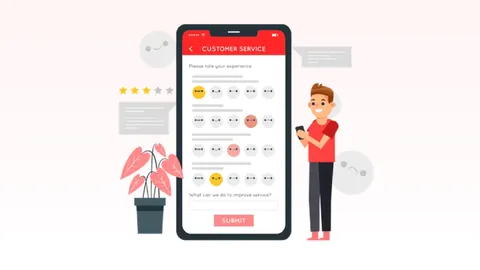
The QR route matters because most unhappy shoppers do not walk to the help desk; they simply leave. Our guide to collecting shopping mall customer feedback covers placement and form design.
The Complaint Lifecycle in 8 Steps
- Capture. Record the complaint with its location, time, channel, complainant contact (if given) and a photo where possible. Location-tagged QR codes remove the "which washroom?" problem; our toilet feedback machine guide compares them with smiley terminals.
- Categorise. Tag the area (washroom, parking, HVAC), the issue type (cleanliness, breakdown, behaviour) and the severity. Use a fixed list so reports can be compared month to month.
- Route. Assign the complaint to the role on duty for that location and shift, automatically for routine categories.
- Acknowledge. Tell the complainant it has been received and, for tenants, who owns it and by when. Acknowledgement is a separate deadline from resolution.
- Resolve. Fix the problem or make it safe. If the fix needs a vendor or parts, record the interim action and the expected date.
- Verify. A supervisor or the system checks the fix: a photo, a reading, or a spot check. For tenants, ask the store manager to confirm.
- Close. Close with a resolution code (fixed, duplicate, not reproducible, outside mall scope) and inform the complainant where you have contact details.
- Analyse. Review complaints weekly by area, category and repeat location, and turn repeats into preventive actions, such as a changed cleaning frequency or a maintenance task.
Steps 3 to 6 run against the clock. Your escalation matrix sets the response and resolution times for each severity and who takes over when they pass.
Must-Have Features of Complaint Management Software
Most complaint management software looks similar in a slide deck. Test each feature with your own washrooms, zones and shift roster rather than a prepared script.
- QR capture at the location: every report arrives with its exact location. Test: scan a code on your phone; it should open without an app and take under a minute.
- Categories and tags: consistent reporting by area and issue type. Test: add your own categories without the vendor's help.
- Auto-routing by location and shift: the right person is alerted at 11 pm as well as 11 am. Test: raise a complaint for a night-shift zone and see who receives it.
- SLA timers and escalation: late complaints rise to supervisors without anyone chasing. Test: set a 2-minute timer and watch it escalate.
- Mobile closure with evidence: floor staff close from their phones; supervisors verify. Test: close an issue from a phone and check what is recorded.
- Alerts on WhatsApp, SMS and email: floor staff do not watch email. Test: confirm reminders repeat until someone acts.
- Dashboards and exports: weekly reviews by area, category and shift. Test: ask for last month's complaints by location, exported to Excel.
- Separate tenant and shopper streams: tenants need a ticket trail; shoppers need speed. Test: see how a tenant request is tracked differently.
- Audit trail: who did what and when, for disputes, insurers and audits. Test: open a closed complaint and read its history.
- Multi-mall and permissions: each mall's data separate, with group-level views. Test: log in as a floor supervisor and check what they can see.
Complaint Handling SOP for the Mall Front Desk
The help desk is where angry shoppers arrive. A short customer complaint handling SOP keeps the response consistent across shifts.
The 5 steps to handling a customer complaint
- Listen without interrupting. Let the shopper finish, then repeat the complaint back in one sentence to confirm you have understood it.
- Acknowledge and apologise for the experience. "I'm sorry the washroom was in that state" is an apology for the experience, not an admission of liability.
- Log it immediately. Enter it in the system with location, time, category, a photo if the shopper has one, and their phone number if they want an update.
- Act or route, and give a time. Fix what you can at the desk (a lost-item search, a parking ticket query). Route everything else and tell the shopper who is handling it and roughly when.
- Follow up and close. Call or message the shopper when it is resolved, record the outcome, and hand anything open to the next shift in writing.
Front desk rules for specific cases
- Injury or medical issue: call first aid and the duty manager first; log afterwards. Treat it as an incident, not a complaint, and use your incident report format.
- Lost child: follow the mall's lost-child code in your security SOP immediately; do not wait to complete a form.
- Lost property: record a description, time and location, check the lost-and-found register and CCTV request process, and take a contact number.
- Complaint about a store: log it, inform the store manager and tenant relations, and tell the shopper the mall has passed it on. Do not promise refunds on a tenant's behalf.
- Abusive complainant: stay calm, call security if needed, and record what happened.
Complaint KPIs to Track
| KPI | How to calculate it | What it tells you |
|---|---|---|
| First response time | Median time from capture to acknowledgement or attendance | Whether routing and alerts work |
| Resolution time | Median time from capture to verified closure, by severity | Whether teams can fix in time |
| SLA breach rate | Complaints closed after the deadline / all complaints | Whether escalation times are realistic |
| Repeat complaints | Same location and issue within 7 or 30 days | Root causes the fix missed |
| Complaints by area and hour | Count by location, category and time band | Where to add staff or change cleaning frequencies |
| Reopen rate | Closed complaints reopened or re-reported | Quality of closure and verification |
| Tenant satisfaction by service | Monthly tenant survey score per service area | Whether tenants feel the improvement |
Use medians rather than averages for times, so one vendor delay does not hide a good month. For the tenant score, see our guide to running mall tenant satisfaction surveys.
Build vs Buy
Some mall groups build a complaint module on top of their ERP, CRM or facility management system. That can work if you have an in-house development team and floor staff use the system daily. Weigh these points:
- Time to go live: a ready product can usually be configured in weeks; a build needs design, development and testing.
- Front-line usability: housekeeping and security staff need a mobile flow that works without training. ERP screens rarely do.
- Messaging costs and setup: WhatsApp and SMS alerts need approved templates and gateway contracts.
- QR code management: printing, placing and replacing hundreds of location codes is an operational task in itself.
- Ongoing changes: categories, routes and escalation times change whenever contractors or rosters do. Check who can change them without a developer.
Buyer's Evaluation Checklist
- Can shoppers report without an app, in the languages your visitors use?
- Does every complaint carry its exact location automatically?
- Can routing follow your shift roster and zones?
- Can you set different escalation levels and times by location and category?
- Can staff close from their phone, and can you require evidence?
- Are alerts sent on WhatsApp and SMS, with reminders?
- Is there a separate route for tenant requests and regular tenant feedback?
- Can you filter fake or duplicate submissions?
- Can you manage several malls with separate data and per-user permissions?
- Can you export raw data to Excel for your own analysis?
- Is every action time-stamped in an audit trail?
- Who configures changes after go-live, and how quickly?
How LazyMonkey Handles Mall Complaints
LazyMonkey splits mall complaints by who raises them:
- Shoppers: QR Feedback puts a code at each washroom, food court, parking area or lift lobby. Reports, in English, Hindi or Arabic with no app, route to the staff member on duty there, escalate if not resolved in time, and are closed from a phone.
- Tenant feedback: Tenant Survey sends every store a monthly survey on mall services, with reminders and a live dashboard.
- Tenant requests: Tenant Permits & Approvals runs repair work, contractor visits and fit-outs through your approval chain, with an audit trail.
Conclusion
A complaint management system for malls is only as good as the process it runs: capture with location, route by shift, escalate on a timer, verify before closing and review the patterns every week. Define that process and your front desk SOP first, then choose software that your floor staff will actually use.
Frequently Asked Questions
What is a complaint management system in a mall?
It is software that captures shopper, tenant and staff complaints, assigns each to the right team by location and shift, tracks it against deadlines, escalates late complaints and records how each was closed.
What are the 5 steps to handling a customer complaint?
Listen without interrupting, acknowledge and apologise for the experience, log the complaint immediately, act or route it and give a time, then follow up and close. Record the outcome so it can be reviewed later.
What are the stages of complaint management?
A complete lifecycle has eight stages: capture, categorise, route, acknowledge, resolve, verify, close and analyse. Verification and analysis are the stages most often skipped.
Which KPIs should a mall track for complaints?
Track first response time, resolution time by severity, SLA breach rate, repeat complaints by location, complaints by area and hour, and reopen rate. Pair these with monthly tenant satisfaction scores by service area.
Is there a standard for complaint handling?
Yes. ISO 10002:2018 gives guidelines for complaints handling in organisations, and the Bureau of Indian Standards has adopted it as IS/ISO 10002:2018. It is guidance that a mall can use to benchmark its process.
Sources
- IS/ISO 10002:2018 Quality Management: Customer Satisfaction, Guidelines for Complaints Handling in Organizations Bureau of Indian Standards, 1 Nov 2026
- ISO 10002:2018 Quality management. Customer satisfaction. Guidelines for complaints handling in organizations BSI Knowledge (ISO publication record), 16 Jul 2018
Filed under Mall & Facility Operations · First published