Quick answer
What is an online feedback system?
Businesses use an online feedback system to hear from customers wherever they are: on a website, in an app, by email or through surveys. Responses arrive in real time and are analysed for trends, so teams can spot customer needs and pain points quickly and act on them to improve their offerings.

In this article (9 sections)
- Benefits of Using an Online Feedback System
- What Are Feedback Systems?
- What Are the 5 Components of a Feedback System?
- Online Feedback Channels
- How Does an Online Feedback System Work?
- Types of Feedback Collected Through an Online Feedback System
- Challenges in Managing Online Feedback Systems
- Conclusion
- Frequently Asked Questions
This guide looks at the digital side of feedback: the channels an online feedback system uses, how each one works, what kinds of feedback they capture and the problems to plan for. For the wider process of acting on feedback once it arrives, see what is customer feedback management.
Benefits of Using an Online Feedback System
- Streamlined Feedback Collection: Collects data in real-time, reducing delays.
- No manual data entry: Responses go straight into the system, unlike paper forms that have to be typed up.
- Actionable Insights: Helps businesses identify trends and take action.
- Time-Saving: Automates feedback collection and analysis.
- Wider reach: Customers can respond from wherever they are, on any device.
For the broader business case for listening to customers, see why customer feedback is important.
What Are Feedback Systems?
Feedback systems are processes or tools used to collect, analyze, and act upon responses from users, employees, or customers. An online feedback system does this through digital channels. For example, it can help an online retailer understand why customers abandon their carts, which could lead to a simpler checkout process.
What Are the 5 Components of a Feedback System?
- Feedback source: who gives the feedback, such as customers, employees, website visitors or app users.
- Feedback mechanism: the channel used to gather it, such as surveys, forms or chatbots.
- Feedback analysis: evaluating the data for trends, sentiment and recurring themes, often with AI-driven tools.
- Feedback implementation: acting on the insights, such as tweaking a service, adding a feature or fixing a pain point.
- Feedback follow-up: telling respondents what was done, so they feel valued.
Online Feedback Channels
An online feedback system can collect input through several digital channels. Most businesses combine two or three, chosen by where their customers interact with them:
| Channel | How it works | Best for | Watch out for |
|---|---|---|---|
| Website widgets and pop-ups | A short form or rating appears on a page or at exit | Usability and checkout feedback | Pop-ups that interrupt visitors too often |
| In-app surveys | A question appears after a user completes an action | Product and feature feedback | Asking so often that users dismiss every prompt |
| Email surveys | A link is sent after a purchase, delivery or service | Post-purchase and relationship surveys, such as NPS | Low open rates and late responses |
| SMS links | A text message carries a rating request or a survey link | Quick ratings after a visit or service | Per-message costs and short answers |
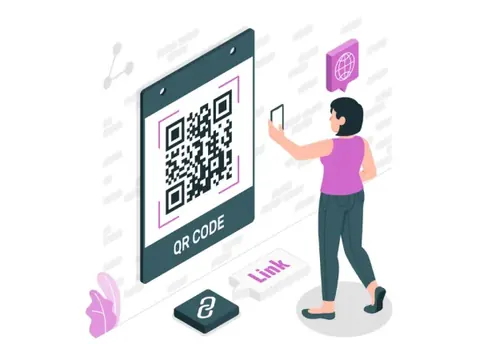
| QR codes | Customers scan a code on a table, receipt or poster to open a form | Feedback at the point of service in physical locations | Customers without smartphones or data |
| Live chat and chatbots | A rating or question at the end of a conversation | Support quality | Only capturing customers who needed help |
| Social media and review sites | Comments, mentions and reviews are monitored | Unprompted public opinion | Feedback that is public before you can respond |
QR code feedback, which links physical locations to online forms, is covered in detail in what is a QR code feedback system.
How Does an Online Feedback System Work?
- Collection: customers share their input through one of the digital channels above, such as a post-purchase survey on an e-commerce site.
- Automated analysis: the system detects patterns; recurring mentions of slow delivery, for example, point to a logistics issue.
- Real-time monitoring: teams track sentiment as it changes, which matters most during product launches or campaigns.
- Reporting: dashboards and reports show feedback trends to the teams that need them.
- Action: the insights guide changes, prioritised by what matters most to customers.
Types of Feedback Collected Through an Online Feedback System
1. Customer Satisfaction (CSAT)
CSAT surveys are concise and measure how happy customers are with a specific interaction, product, or service, with questions such as “How satisfied were you with your purchase today?”
2. Net Promoter Score (NPS)
The NPS metric assesses customer loyalty by asking respondents how likely they are to recommend your business to others, on a scale of 0 to 10. This metric divides respondents into Promoters, Passives, and Detractors, giving businesses a clear picture of their overall customer sentiment.
3. Open-Ended Feedback
Open-ended questions let customers describe their experience in their own words, giving richer and more nuanced insights than rating scales alone.
4. Employee Feedback
Employee surveys help organizations understand workplace culture, identify bottlenecks, and improve processes. An engaged workforce contributes directly to better customer experiences.
5. Website and App Usability Feedback
This type of feedback pinpoints areas of friction in digital user experiences. Customers can highlight confusing navigation, slow load times, or missing features, enabling businesses to enhance their online platforms and improve user satisfaction.
Challenges in Managing Online Feedback Systems
1. Overwhelming Data
Feedback systems often generate vast amounts of data, making it difficult to sift through and extract actionable insights. To combat this, prioritize feedback by themes or categories and use AI-powered tools to identify recurring patterns.
2. Bias in Responses
Not all feedback is representative of your entire customer base. Often, only highly satisfied or dissatisfied customers respond to surveys, skewing the results. To counter this, ensure surveys reach a diverse and representative audience.
3. Low Response Rates
Many customers ignore surveys due to lack of time or interest. Increase participation by offering incentives like discounts or freebies. Additionally, keep surveys short and emphasize how their feedback will lead to tangible improvements.
4. Integration Issues
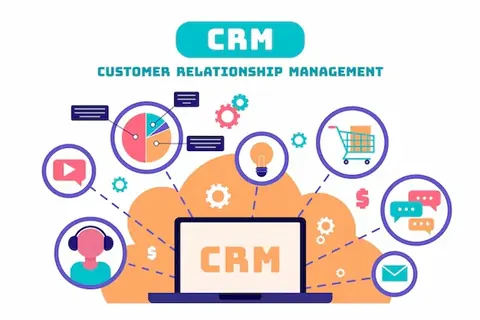
Integrating a feedback system with existing tools like CRMs or analytics platforms can be technically challenging. Work with a provider that offers seamless integrations and technical support to ensure smooth implementation and operation.
5. Data Privacy
Online forms collect personal data, so host them securely, collect only what you need and tell respondents how it will be used. See confidentiality and security in feedback systems.
Conclusion
The best online feedback system uses the channels your customers already use: a widget or in-app prompt for digital products, email or SMS after a purchase, and QR codes where service happens in person. Start with one or two channels, keep forms short, and add more once you can act on what comes in.
Frequently Asked Questions
What are feedback systems?
Feedback systems are tools or methods used to collect and analyze input from users or customers. They are essential for identifying improvement areas and making informed decisions.
What are the components of a feedback system?
The five components of a feedback system include the source, mechanism, analysis, implementation, and follow-up. Together, these elements ensure that feedback is effectively collected, analyzed, and acted upon.
How does an online feedback system benefit small businesses?
Small businesses can use online feedback systems to identify customer preferences, improve satisfaction, and build stronger relationships. These systems are affordable and scalable.
What tools can you use to set up an online feedback system?
Popular tools include LazyMonkey, Typeform and Google Forms. CRM and helpdesk platforms such as HubSpot and Zendesk also include feedback surveys.
How do you ensure high response rates in feedback surveys?
Offer incentives, keep surveys short, and use engaging designs to encourage participation.
Filed under Feedback Management · First published