Quick answer
What is a tourist feedback system?
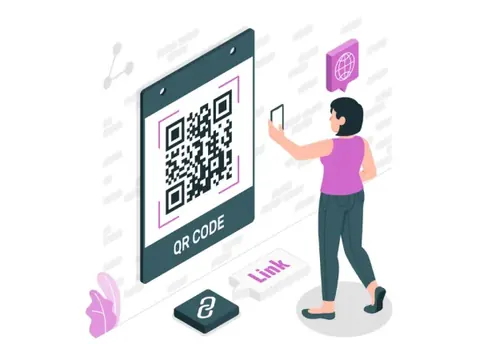
A tourist feedback system lets visitors rate and report problems at a specific spot, such as a ticket counter, toilet or parking lot, usually by scanning a QR code, and sends each report to the official who can fix it. A working system has four parts:
- A separate QR code for each facility or location
- A short form in the languages visitors read
- Alerts to the responsible official, with escalation if unresolved
- Dashboards that show trends by site and facility
In this article (8 sections)
Most monuments and museums still learn about visitor problems from a register or a suggestion box that someone reads days later, if at all. A tourist feedback system lets a visitor who finds a dry water point, a locked toilet or an overcharging guide report it in a minute, in their own language, while the problem can still be fixed for the visitors behind them.
This guide is for the people who run monuments, museums, destinations and tourist facilitation centres in India, where one visit can involve many languages and several bodies responsible for different facilities.
What a tourist feedback system is
What makes a tourist site different from most service points is the number of owners. At one monument, the ticket counter, toilets, parking, cafe, guides and interpretation centre may be run by the site authority, a state tourism department, a local body, contractors and licensed guides. A feedback system earns its keep by sending each report to the right one of them, and by giving a district or state officer a view across all of them.
The point is to learn, while the visitor is still there, that the water point near the exit is dry or a guide overcharged, and to fix it before the next hundred visitors arrive.
Why visitor feedback matters at Indian sites
Visitor amenities are now an explicit part of how heritage sites and destinations are developed in India. Three examples show where feedback fits.
Amenities at Adarsh Smarak monuments
The Archaeological Survey of India (ASI) has identified 100 centrally protected monuments as Adarsh Smarak (model monuments). According to a 2018 Ministry of Culture release, ASI aims to provide basic tourist amenities at these sites such as rest rooms, drinking water, benches, souvenir shops, interpretation centres and cafeterias. A 2021 release lists additional facilities at an Adarsh Smarak including Wi-Fi, cafeteria, interpretation centre, braille signage and illumination. Visitor feedback tells you whether these facilities actually work on a busy Sunday.
Swadesh Darshan 2.0 and the tourist-centric approach
The Ministry of Tourism revamped its Swadesh Darshan scheme as Swadesh Darshan 2.0 to develop sustainable and responsible destinations with a tourist and destination centric approach, as stated in a 2022 PIB release. A 2024 release says the Ministry identified 57 destinations across 32 States and UTs for development under the scheme. Visitor feedback is a direct way to check whether new facilities serve tourists as intended.
Helplines and online tickets do not cover the site itself
The Ministry of Tourism runs a 24x7 toll-free multilingual tourist helpline on 1800-11-1363 (short code 1363), launched in February 2016. According to PIB, it handles ten international languages besides English and Hindi, and its purpose is to give travel and tourism information to domestic and international tourists and advise callers in times of need. It is an assistance line for the whole country, not a tool for tracking the cleanliness of one monument's toilets.
Ticketing is also moving online. In January 2026 ASI enabled online ticket booking for over 170 centrally protected monuments and museums on the Open Network for Digital Commerce (ONDC), which lets visitors bypass physical ticket queues. Fewer visitors now pass a staffed counter where someone might hear a complaint, so feedback points belong where visitors spend time: toilets, galleries, cafes and exits.
What to measure at a tourist site
Ask about specific facilities, not the visit as a whole: an overall score does not tell you why. Start with the touchpoints visitors complain about most, and assign a clear owner to each.
| Touchpoint | What to ask | What to track | Typical owner |
|---|---|---|---|
| Ticket counter and entry | Wait time, staff courtesy, clarity of fees | % rating 4 or 5, complaints by hour of day | Site in-charge or booking staff |
| Toilets | Cleanliness, water, working locks and lights | Low ratings per block, time to resolve | Housekeeping or sanitation contractor |
| Drinking water | Availability, cleanliness | "Not available" reports per point | Maintenance team |
| Guides | Knowledge, language, fair charges | Ratings by guide or guide badge number, overcharging reports | Guide licensing or site in-charge |
| Signage and interpretation | Could you find your way? Was information clear? | "Got lost" or "information unclear" reports by zone | Interpretation or curatorial team |
| Parking | Space, charges, safety, attendant behaviour | Complaints per lot, overcharging reports | Parking contractor or local body |
| Cafe and souvenir shop | Prices, hygiene, service | Average rating, price complaints | Licensee or contractor |
| Accessibility | Ramps, wheelchair availability, accessible toilets | Barriers reported by location | Site in-charge |
| Tourist facilitation centre | Helpfulness, wait time, accuracy of information | Rating per visit, unanswered queries | Tourism department staff |
Track two numbers for every touchpoint: the share of positive ratings, and the time taken to resolve complaints. A site can have good average scores and still leave a broken toilet unrepaired for a week.
How to set up a tourist feedback system
1. Map touchpoints and owners
Walk the visitor route from parking to exit and list every facility, its owner and who that owner reports to. Where a service is run by a contractor or licensee, name both the contractor's supervisor and the official who manages the contract. Feedback with no owner is why most of these systems fail.
2. Give each location its own QR code
Use a separate code for each toilet block, gate, gallery, parking lot and counter, so every response is tagged to a place without the visitor having to describe it. A single code for the whole site tells you there is a problem but not where.
3. Keep the form short and specific
A toilet code asks about the toilet. A guide code asks about the guide. Use a rating, one or two tick-box reasons for a low rating ("no water", "dirty floor", "lock broken") and an optional comment. Keep contact details optional.
4. Offer the languages your visitors use
A temple town may need Hindi, English and two or three regional languages; a site on the international circuit may also need languages for its largest foreign visitor groups. Have each translation checked by a fluent reader, and make language choice the first screen.
5. Place codes where visitors pause
Put codes at eye level where people wait or rest: inside toilet blocks, at exits, near benches, in cafe seating areas and at the facilitation centre desk. Avoid the entry gate for a general form, since visitors cannot yet rate what they have not seen. Add one line explaining why to scan, such as "Problem here? Tell us and we will fix it." Check mobile signal at each spot first, especially at hill forts and caves.
6. Set routing and escalation times
Decide who is alerted for each type of complaint and how long they have to act. A dry water point or a dirty toilet may need action within the hour; a damaged signboard can wait for the weekly maintenance round. If the first owner does not resolve it in time, the complaint should go automatically to their supervisor.
7. Pilot at one site, then roll out
Run it at one site for a few weeks to check response volumes, alert routing and escalation times. Then extend it to other sites with the same categories, so you can compare them on a district or state dashboard.
A sample tourism feedback form
A general form at the exit or facilitation centre can be slightly longer than a facility form, but should still take under two minutes:
- Language selection.
- Overall, how was your visit today? (1 to 5)
- Which of these were a problem? (tick any: toilets, drinking water, ticketing, guides, signage, parking, cafe, cleanliness, safety, accessibility)
- What is one thing we should fix first? (optional comment)
- Would you like us to contact you about this? (optional phone or email)
Acting on feedback at busy sites
Tourist sites have sharp peaks on weekends, holidays and festival days, when a single broken tap or locked toilet affects far more visitors than on a quiet weekday. Alerts for toilets, water, safety and overcharging should reach someone on site who can act within the hour, and weekly reviews should look for complaints that cluster at the same place and time, such as toilets failing every weekend afternoon, which point to staffing or cleaning schedules rather than one-off lapses. Where toilets, parking or cafes are run by contractors, use ratings and resolution times in contract reviews, as our guide to using passenger feedback in railway contractor reviews describes. Tell visitors who left contact details what was done, and put up a "you told us, we fixed it" notice at the entrance so others can see their feedback is read.
Handle personal data carefully. Under India's Digital Personal Data Protection Act, 2023, a request for consent must be accompanied or preceded by a notice explaining what personal data is collected and why, the person must be able to read that notice in English or any language in the Eighth Schedule to the Constitution, and consent must be limited to the data necessary for the stated purpose. Collect contact details only when a visitor wants a reply. See also our guide to confidentiality and security in feedback systems.
How LazyMonkey handles tourist site feedback
LazyMonkey's tourist feedback system for monuments, museums and destinations gives each facility its own QR code, with a form customised for it. Visitors answer in their browser, with no app or login, in major Indian languages including Hindi, English, Tamil, Telugu, Bengali, Marathi and Gujarati. Negative feedback alerts the responsible official at once and escalates automatically to a higher-level officer if it is not resolved in time. District, regional and state tourism bodies see real-time data and trends across sites, including a Tourist Satisfaction Index.
Frequently Asked Questions
Do visitors need to download an app to give feedback?
They should not. A QR code that opens a web form in the phone's browser works for domestic and foreign visitors alike, with no download or login. Asking tourists to install an app for a one-time visit means most of them will not bother.
Which languages should a tourism feedback form offer?
Base it on who visits each site. Most Indian sites need Hindi and English plus the main regional language, and sites popular with domestic tourists from other states may need more. Sites with many foreign visitors should check which languages their largest visitor groups read and confirm that the system supports them.
How many questions should a tourist feedback form have?
For a single facility such as a toilet or a ticket counter, two to four: a rating, a few tick-box reasons for a low rating and an optional comment. A general form at the exit can have up to five or six. Shorter forms get more responses and a more typical mix of visitors.
Can one system cover several sites or a whole district?
Yes, and it should if the same department manages them. Use the same facility categories and rating scales at every site, so a district or state officer can compare toilets, guides or parking across locations and see which sites need attention first.
How is this different from the Ministry of Tourism's tourist helpline?
The Ministry of Tourism's 24x7 helpline on 1800-11-1363 gives travel information and assistance to tourists across India. A site feedback system is run by the body that manages a monument, museum or destination, and tells its own staff about specific problems at specific facilities so they can fix them.
Should tourist feedback be anonymous?
Let visitors choose. Most will give a quick rating without sharing details, and that is enough to spot problems. Ask for a phone number or email only when the visitor wants a reply, explain why you are collecting it, and use it only for that purpose.
Sources
- Basic tourist amenities at the 100 identified Adarsh Smarak Press Information Bureau, Ministry of Culture, 4 Apr 2018
- 3 monuments of Andhra Pradesh identified as “Adarsh Smarak” for providing additional facilities Press Information Bureau, Ministry of Culture, 20 Jul 2021
- Ministry of Tourism has revamped Swadesh Darshan 2.0 for development of sustainable and responsible destinations with tourist and destination centric approach Press Information Bureau, Ministry of Tourism, 21 Jul 2022
- New Projects To Promote Tourism Press Information Bureau, Ministry of Tourism, 25 Jul 2024
- 24x7 Toll-Free Tourist Helpline Press Information Bureau, Ministry of Tourism, 12 Dec 2024
- Online Ticket Booking for ASI Monuments & Museums Now Live on ONDC Network Press Information Bureau, Ministry of Culture, 6 Jan 2026
Filed under Industry Guides · First published